
AI you can preview, cap and undo
An AI in your books you can watch, cap and reverse
The real question about an AI inside your accounts isn't whether it's clever — it's what stops it doing something expensive and wrong. Finocket's answer is four things you can check: you see the money impact before you confirm, you set the ceiling it may not cross, every action lands in a log the database itself makes tamper-evident, and a posted journal can be reversed afterwards the way an accountant would accept. On top of that sit the parts that make it feel effortless — photograph a bill, ask your books a question, speak an invoice in your own language, and add entries with no signal that queue and sync.
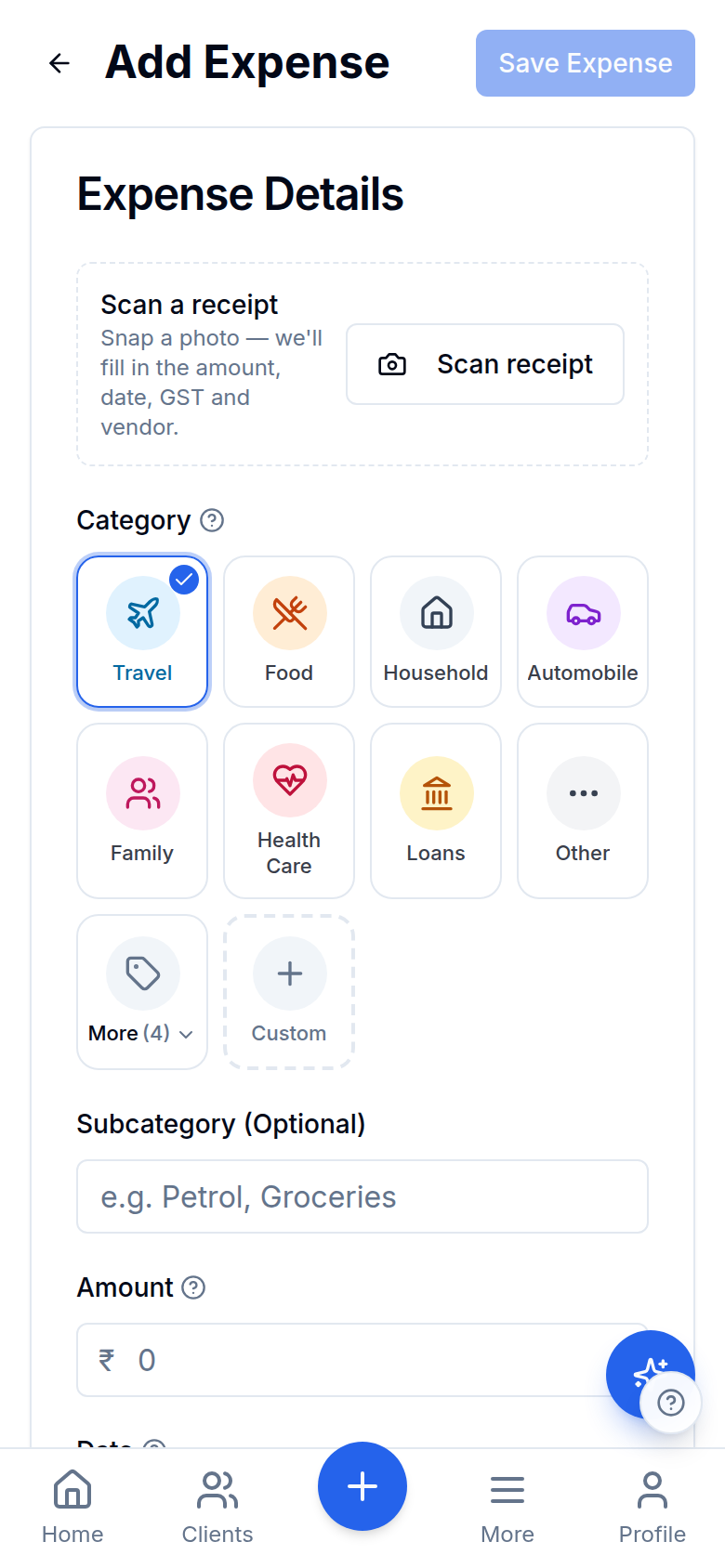
Actual app — a real screenshot on sample data, not a mock-up.
See the money before it moves
Every action the assistant proposes is classified before you confirm: how much moves, in which direction, out of which bucket (cash & bank, expense, receivable or ledger), how many people it would reach, and whether it can be undone. The same classification writes the audit row afterwards, so the confirm card and the log can never disagree. It's a classification of the action, not a dry run of the journal — and an AI-drafted invoice counts as no money moved, because it lands as a draft.
Undo after it posted
A journal the assistant posted can be reversed in one tap from your AI activity log: Finocket posts a sign-flipped compensating entry through the same posting engine — same date, same ledgers, narration 'Reversal of…' — so your ledger shows two vouchers rather than a vanished one. An entry can be reversed only once and a reversal can never itself be reversed, enforced in the database. One-tap reverse covers journal entries and is the workspace owner's call; payments, expenses and invoices are undone by deleting them on their own screens, and a message that has already gone out is honestly marked not reversible.
An autonomy dial in rupees and inboxes
Choose how far the assistant may go before an action stops being routine — off, guided or trusted — with a money ceiling in rupees and a separate ceiling on how many people a single action may reach (guided starts at ₹1,00,000 and 200 recipients). It routes on impact, never on the model's confidence score. No tier removes the human confirm: there is deliberately no setting that lets it act unattended. It's a per-action ceiling, not a daily budget, and only the workspace owner can change it.
A tamper-evident AI action log
Every AI action is written to a log with no update and no delete path at all, and Postgres chains each row to the one before it with a SHA-256 hash computed server-side in a trigger — so an altered row breaks the chain and a recompute finds exactly which one. This is separate from, and additional to, the Rule 11g books edit log: one records what the AI did, the other records every change to a money entry. There is no signing key and no outside notary — tampering is detectable, not third-party attested.
One door for every AI write
All 21 things the assistant can do — record a payment, draft an invoice, post a journal, import a bank statement, raise a purchase order, record a vendor bill, send a reminder, launch a campaign, approve a GST filing — pass through a single resolve step that validates, executes through the poster that already existed for that record type, then appends the audit row. There is no second path: the AI gets exactly the same validation, permissions and ledger posting you get by hand, and nothing more.
A sentence that can't cite a figure is deleted
Every finished sentence the assistant writes about your numbers is checked against the figures it was actually handed. One that states a figure it cannot cite is dropped, not softened — mid-answer in chat, and on the report summary, the insight digest, the outreach draft, the WhatsApp reply and the GST-notice draft, because it is the same guard in all of them. It governs what the assistant SAYS to you; free text inside a proposed action is still yours to read before you confirm.
Copilot, Field, Tally or Classic — same data
Pick the home screen that matches how you work: a Copilot feed that opens with what needs a decision today, a large-tap Field screen for someone on site, a Tally-vocabulary dashboard for an accountant, or the classic dashboard. Modes change only the home surface — same records, same permissions, same books underneath — and the preference lives on the device, so it doesn't follow you to another phone.
Scan-to-Add — one engine, five document types
Photograph a receipt or supplier invoice and the vendor, date, amount, GST split and GSTIN are read and filled in for you to review and save. The same extraction engine reads bank statements, GSTR-2B PDFs, purchase orders and KYC documents behind their own screens. Nothing auto-posts: an extraction is a proposal until a person commits it, and the photo attaches privately to the record.
Mysty — AI over your books
Meet Mysty, your in-app assistant. Ask 'who owes me more than ₹10,000?' or 'how's my funnel?' and get an answer with links. It knows your clients, payments, GST, CRM and partner balances, and every write it proposes goes through the confirm card, the ceiling and the audit log above.
280+ tools, one drawer
A tools drawer packs 280+ finance and business utilities — GST and TDS calculators, EMI, ratios, converters and more — plus an 'Ask Mysty' tab, right where you're working.
Voice in 23 Indian languages — including a spoken invoice
Dictate a site-visit note in any of 23 Indian languages — Hindi, Tamil, Telugu, Kannada, Bengali, Marathi, Gujarati, Malayalam, Punjabi, Odia, Assamese, Urdu and more — and it's transcribed and searchable later. Speak an invoice and it arrives as a prefilled draft on the same confirm card — a date you didn't say is defaulted and flagged, a rate worked back from a total is flagged, and a line it couldn't make out is dropped and flagged rather than guessed. Speech runs on Sarvam AI's Indic models, which handle code-mixed sentences like "Ramesh ko forty thousand bhej do". Transcription for Tamil, Telugu and Kannada is still marked limited in the app, and 'type instead' always sits beside the mic. Finocket's own screens are translated into five languages — English, Hindi, Tamil, Telugu and Kannada — and you can ask in-app for another.
Entries queue with no signal
Add a payment in a basement meeting with zero signal — it queues locally and syncs the moment you're back. Install to your home screen on Android or iPhone.
WhatsApp everywhere
Invoices, receipts and reminders share to WhatsApp in one tap — the channel your clients actually use.
Explore more
Ready to ditch the spreadsheet?
Free for solo users until 31 Dec 2026 — no partner code needed. ₹99/month after that. No credit card. Your books stay yours.